Enable iCloud Sync
We rely on iCloud to sync data. If the iCloud Sync option is disabled in the app, it means the app can’t access the Apple Account signed in to iCloud on your device for some reason (technically, we’re checking CloudKit account status via CKAccountStatus). To enable it, check the following:
iOS/iPadOS
-
Turn on iCloud Drive (or the Documents & Data feature) for the Apple Account signed in to iCloud
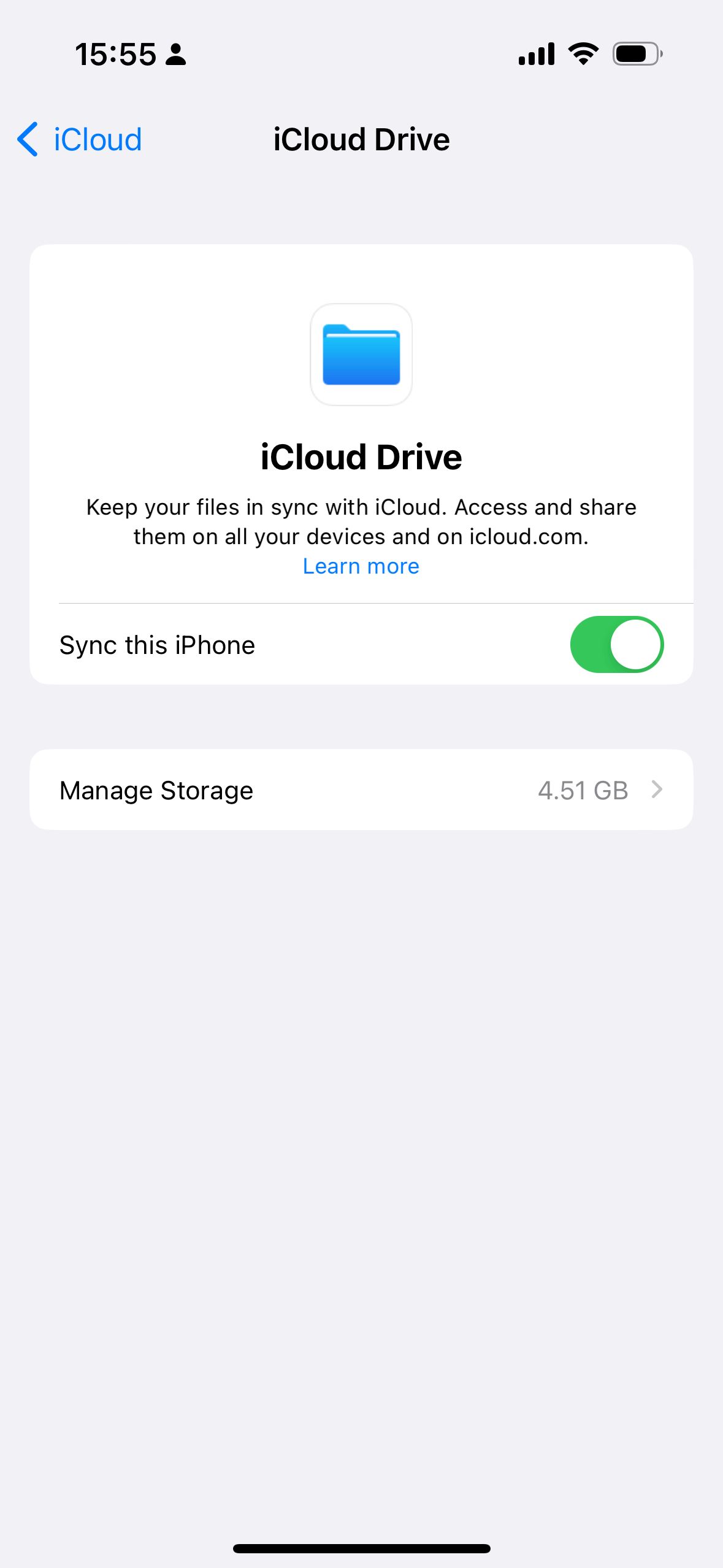
-
Go to
Settings→your name→iCloud→Show Alland make sure you checkExpenses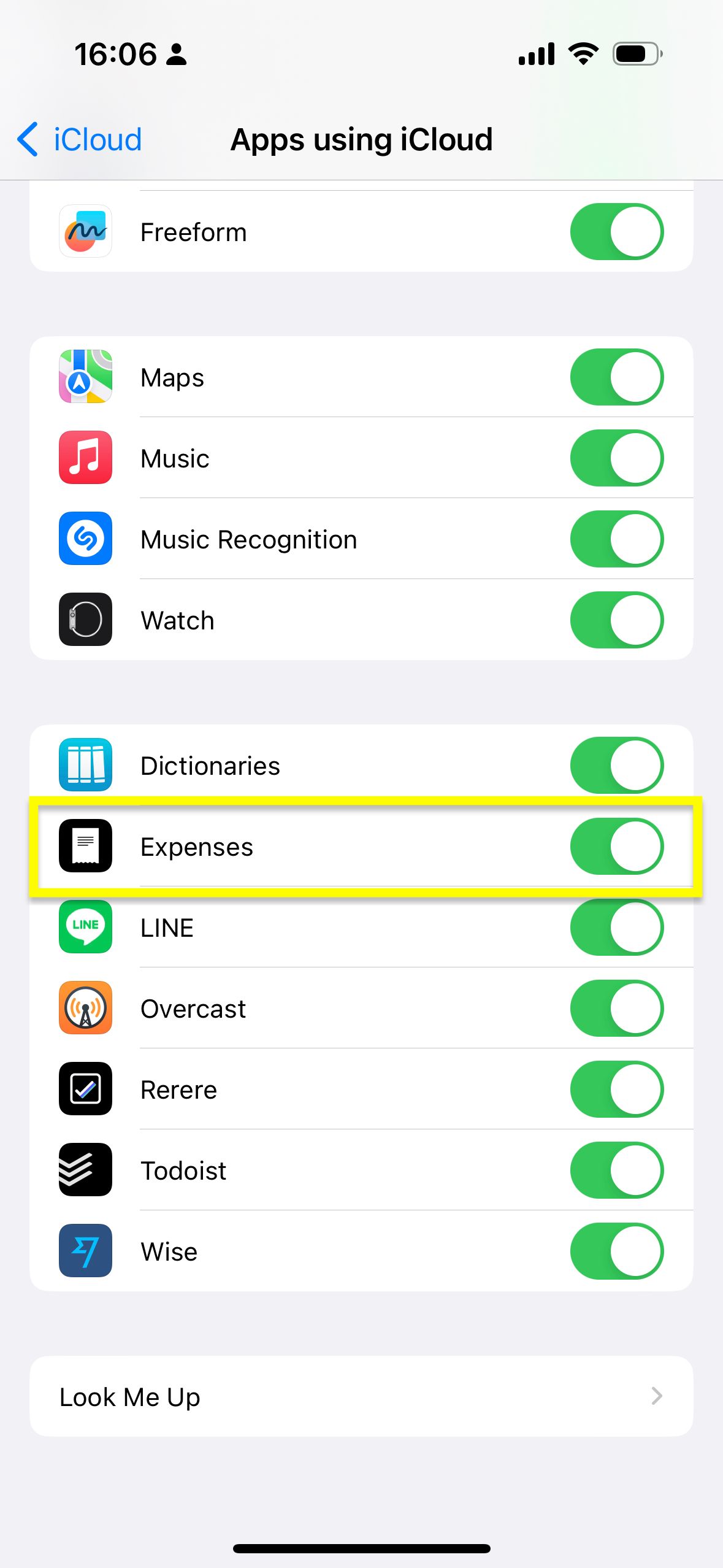
-
Relaunch the app so it properly reflects the change
-
In Expenses, open
Settings→Sync, then turn oniCloud Sync -
If you still can’t enable it, open
Diagnosticsin the same screen and check whether there is a warning or error related to iCloud or your Apple Account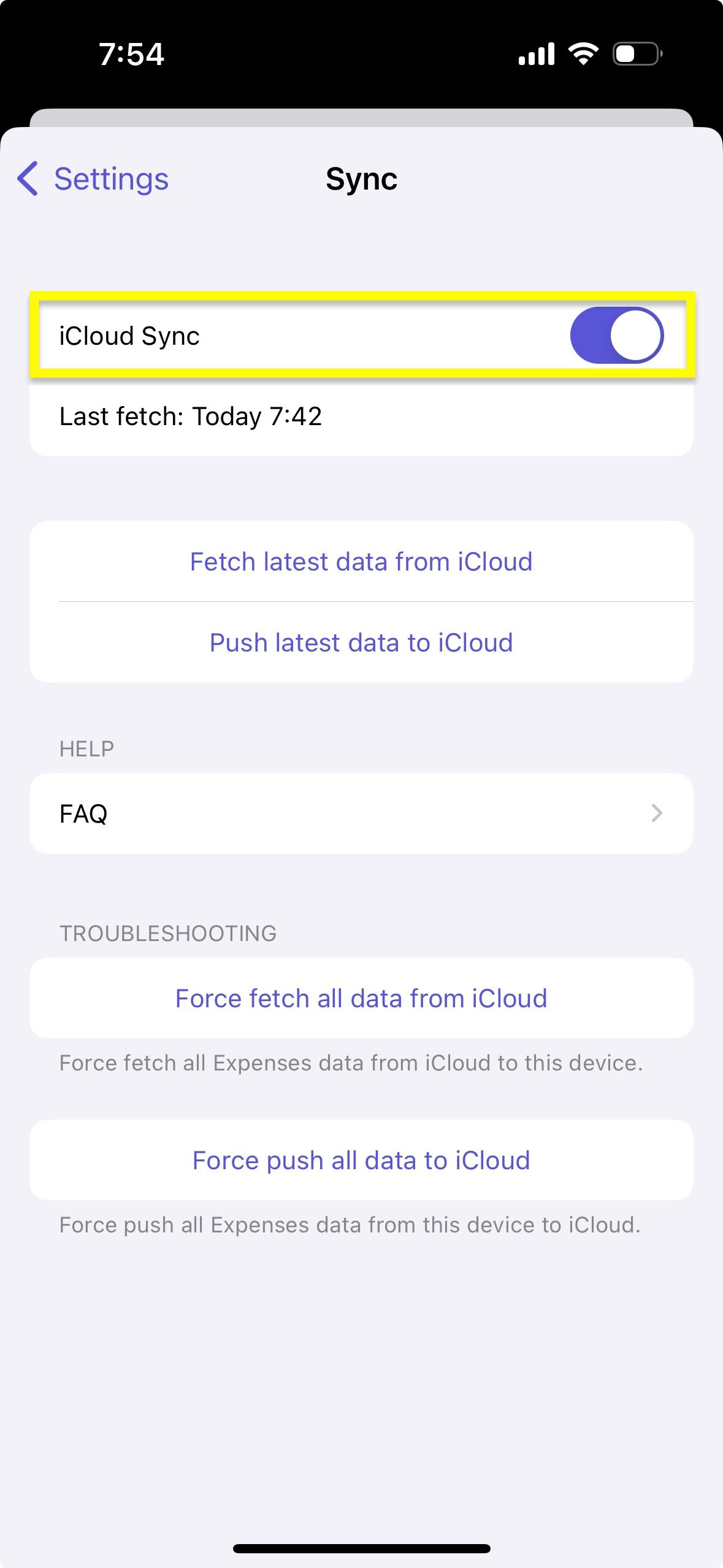
macOS
-
Turn on iCloud Drive (or the Documents & Data feature) for the Apple Account signed in to iCloud
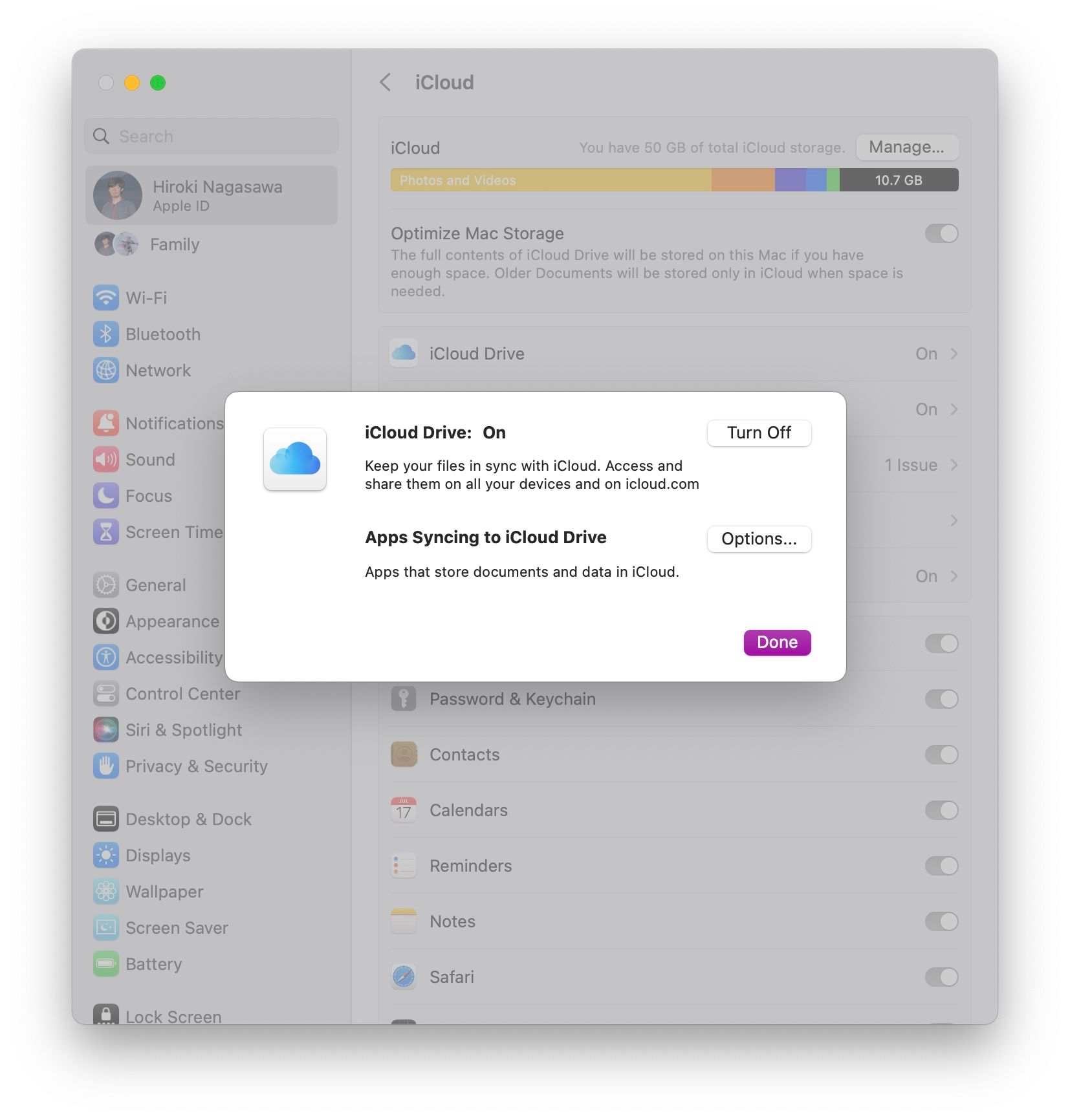
-
Go to
System Settings→your name→iCloud→DriveoriCloud Driveand make sure you turn onExpenses.app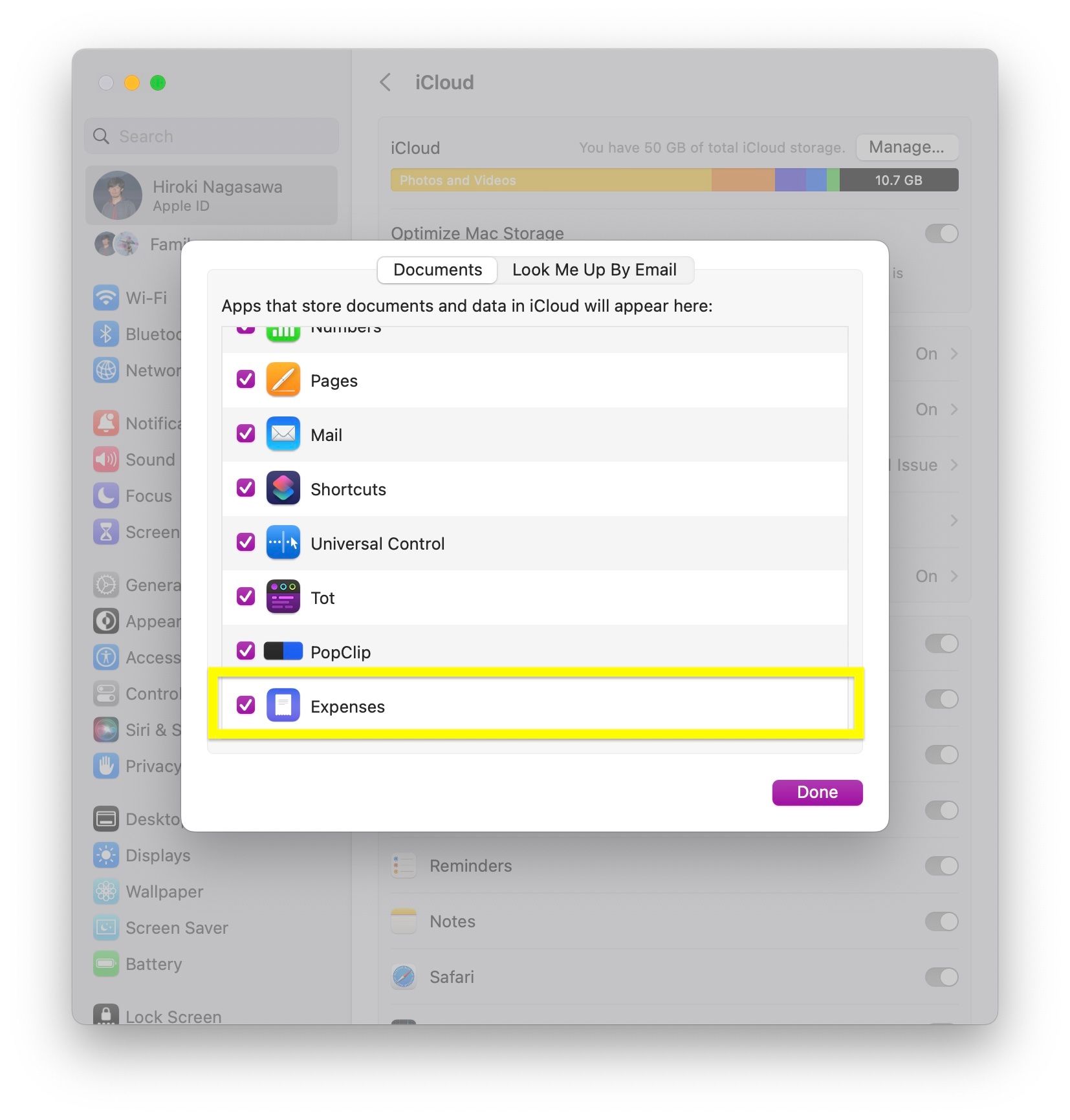
-
Relaunch the app so it properly reflects the change
-
In Expenses, open
Settings→Sync, then turn oniCloud Sync -
If you still can’t enable it, open
Diagnosticsin the same screen and check whether there is a warning or error related to iCloud or your Apple Account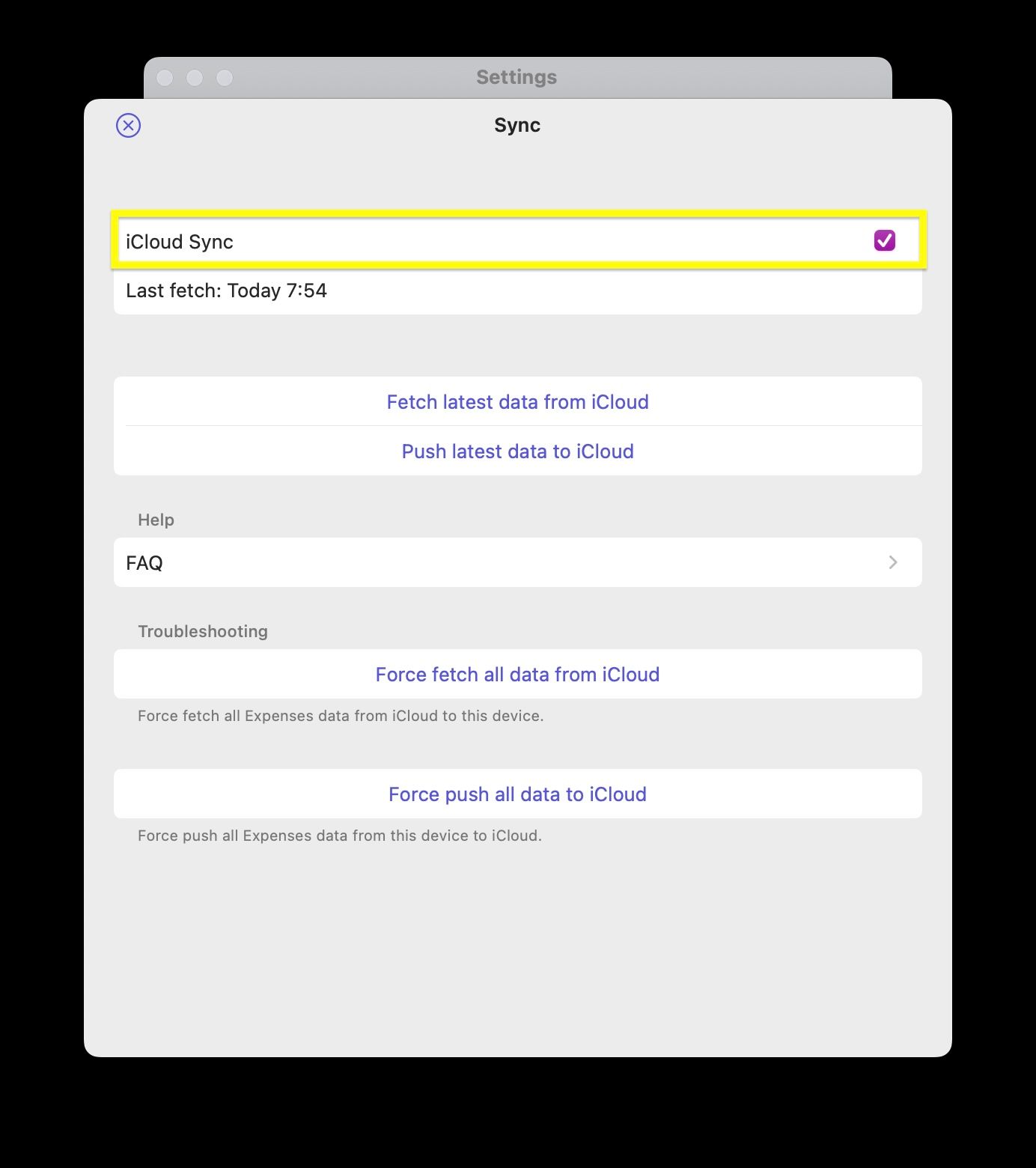
If it still doesn’t work, try the following:
- Check Troubleshooting iCloud Sync
- Sign out of iCloud on your device and sign in to iCloud again
- See if there is any error or warning for iCloud or your Apple Account
- Check if parental controls, device management, or incomplete setup for two-factor authentication might deny access to Apple Account credentials
- Restart your device or reinstall the app
If you still have questions, we're here to help. Please get in touch and we'll respond shortly.